

If someone messages you claiming to be casino support, leave the conversation before sharing a password, one-time code or payment approval. A logo, ticket number or familiar transaction amount does not authenticate the sender. Verify the contact from a route you already trust, without using the link or phone number supplied in that message.
Reset the contact, even if the message sounds familiar
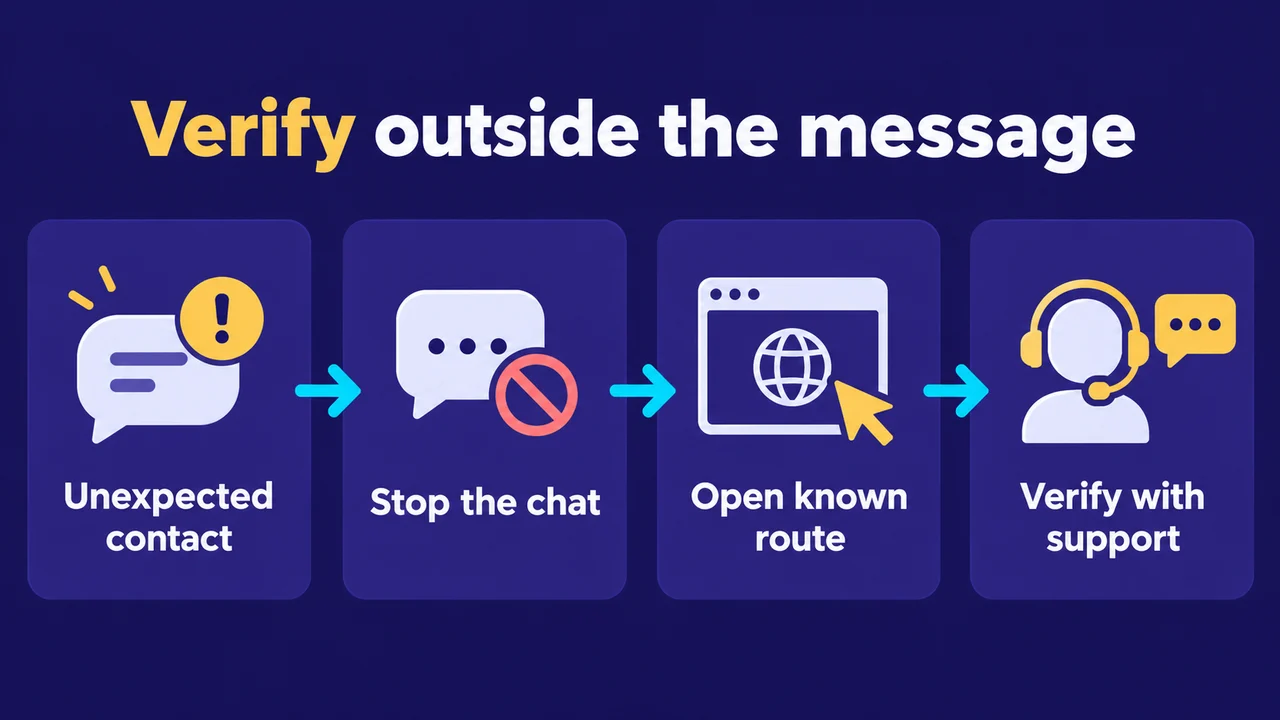
An impersonator can use the name of a real platform and refer to a real support problem. That makes the story plausible, not verified. Do not ask the same person to prove who they are by sending another badge or link. A badge or link from the sender still gives you no independent confirmation.
Open your saved platform address or known app yourself. Check its current support route there. If you cannot establish a known address, pause rather than choosing the first sponsored search result. Ask the independently reached support team whether the message, sender and requested action are theirs. Share a redacted screenshot of the request, not the secrets it asks for.
What the request is trying to make you do
Consider an invented message: “Your withdrawal is ready. Scan this QR code, enter your UPI PIN and pay a small verification fee within ten minutes.” The claimed withdrawal is not evidence of a real pending payment. The QR and PIN request concern a payment action; the urgency is designed to stop you checking it.
NPCI’s fraud-awareness guidance explains that scanning a QR code and entering a UPI PIN is for making payments, not receiving them. A person calling a payment an “unlock” or “verification” does not change that direction. Do not send another payment to reverse a suspected fraudulent one.
| Request | Risk to check | Response |
|---|---|---|
| Share OTP or password | Access or action approval | Do not send it |
| Scan QR and enter UPI PIN to receive funds | You may be approving a payment | Stop the payment flow |
| Install an APK or remote-control app | Device or screen access | Do not install or grant access |
| Send more money to recover a payment | A second loss | Contact the payment provider independently |
None of these signs alone identifies the platform behind the message. They identify a request that needs to stop. Keep the distinction clear when reporting it: “This sender claimed to represent the platform,” rather than assuming the real business sent it.
Choose the response by what you exposed
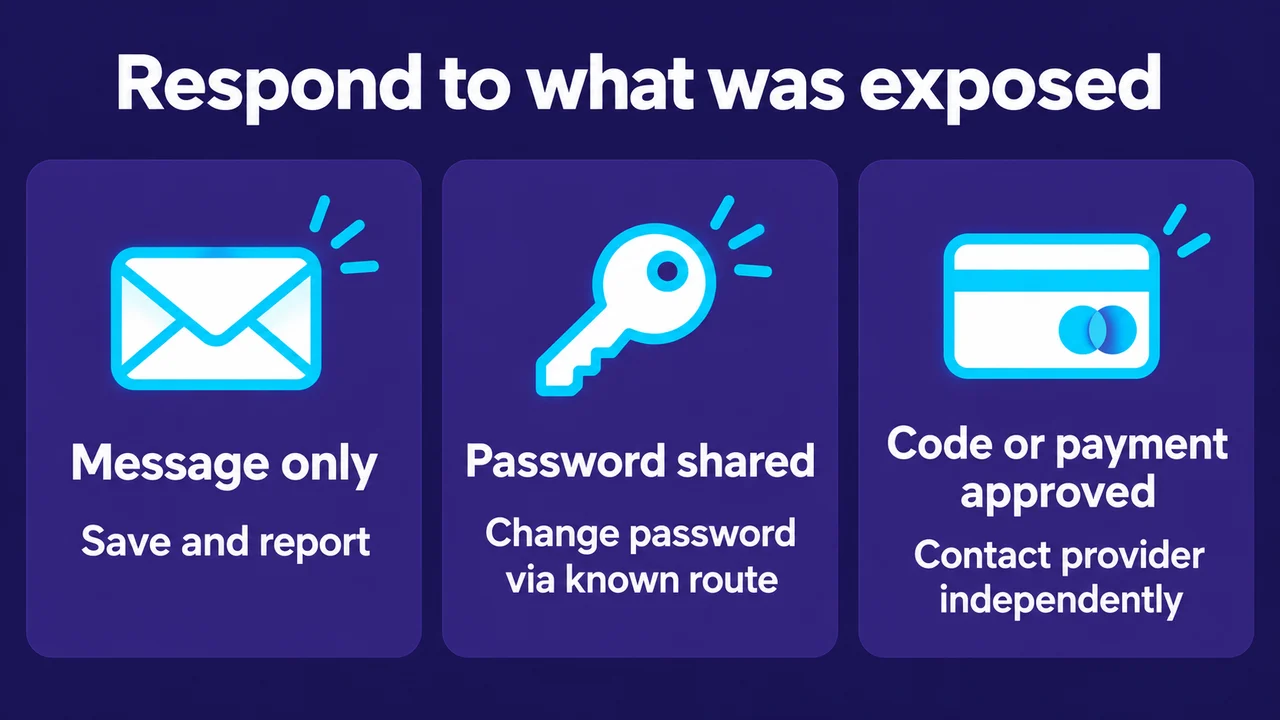
If you only received a message, save the sender, time and wording, then report or block it through the messaging service. Do not continue the chat to collect more evidence. If you opened a link but entered nothing, close it. Check for downloads, unexpected permissions or browser notifications. If antivirus software is available, run a full scan, as NCSC advises after opening a suspicious link.
If you entered a password, change it through the independently opened service. Change it on other accounts where you reused it, and protect the associated email account. Review active sessions and sign out unknown ones where the service permits it. The login security guide covers password and account checks after you regain a trusted entry route.
If you shared an OTP, approved a payment, or installed remote-access software, tell the affected account or payment provider promptly through its own verified channel. Describe the exact action and time. Stop any remote session; use another trusted device to secure accounts if you suspect the first device is controlled. Do not follow the impersonator’s cleanup instructions or let them stay connected while you enter replacement credentials.
Keep an incident record without spreading secrets
Preserve the original message, sender identifier, domain, dates and transaction reference where relevant. Redact passwords, codes, card details and private identity documents from screenshots you send. Payment support evidence helps separate a payment reference from sensitive credentials; the complaint timeline guide helps order the sequence when several channels were involved.
Do not post a suspicious live link publicly as a warning others can accidentally follow. Share a screenshot, or write the domain with dots replaced by [dot] so it is not a clickable link. A report is useful even when you cannot confirm the sender’s identity, but it does not guarantee account recovery, a refund or a response time.
Sources and limits
This response sequence draws on NCSC guidance on verifying suspicious contacts, its advice after sharing sensitive information, and NPCI fraud awareness. The message example is fictional. It is not a finding that Vegas11 or another operator sent a scam. Prepared with AI assistance and separately reviewed; no impersonator, account recovery or payment was tested.
Check Vegas11 Details
Review the official sign-in page and current terms, and keep every session within your personal budget and time limits.