

Before contacting casino support, collect the exact date and time, game round or transaction ID, amount, relevant terms, account-status screen and a short description of what happened. State one requested outcome. Never send a password, one-time code, recovery phrase, full card number or unnecessary identity document in ordinary chat.
Editorial review: Checked by the Vegas11 editorial team. Updated August 20, 2026. Sources and game or account rules can change; verify the current screen before acting.
Risk reminder: Gambling outcomes are uncertain. No feature, statistic, promotion or account tool guarantees a return or prevents loss. Use only money you can fully afford to lose, follow local law and age rules, and stop when the planned limit is reached.
Key Takeaways
- Use one timeline and one primary ticket number.
- Round and transaction IDs are stronger than descriptions alone.
- Redact secrets and unrelated personal information.
- Ask for written confirmation and the formal complaint path if unresolved.
Build the evidence chain before opening chat
Start with the event that can be located in the operator’s records. For a game issue, use the round ID, game title, provider, stake and timestamp. For a payment issue, use the internal transaction ID, amount, method, status and time. For a bonus issue, include the promotion name, activation time and saved terms.
Then write the expected result and the observed result in one or two sentences. Avoid guessing the cause. “Withdrawal pending for 72 hours after requested documents were marked received” is more useful than “the site is stealing.” Precise facts help support route the case.
- Event type.
- Exact timestamp and time zone.
- Round or transaction identifier.
- Expected rule or status.
- Observed result.
| Issue | Primary identifier | Useful evidence |
|---|---|---|
| Game result | Round ID | Game, stake, timestamp, history entry |
| Deposit | Transaction ID | Amount, method, status, receipt |
| Withdrawal | Request ID | Submitted time, KYC status, operator message |
| Bonus | Promotion/activation ID | Terms, progress screen, expiry timestamp |
| Login/security | Account and event time | Login notice, device/session list |
Take screenshots that preserve context
A useful screenshot includes the page title, status, amount, time and relevant identifier. Capture the full screen when possible, then crop only for readability while keeping a copy of the original. Do not edit amounts, add annotations that cover evidence or combine unrelated screens into one image.
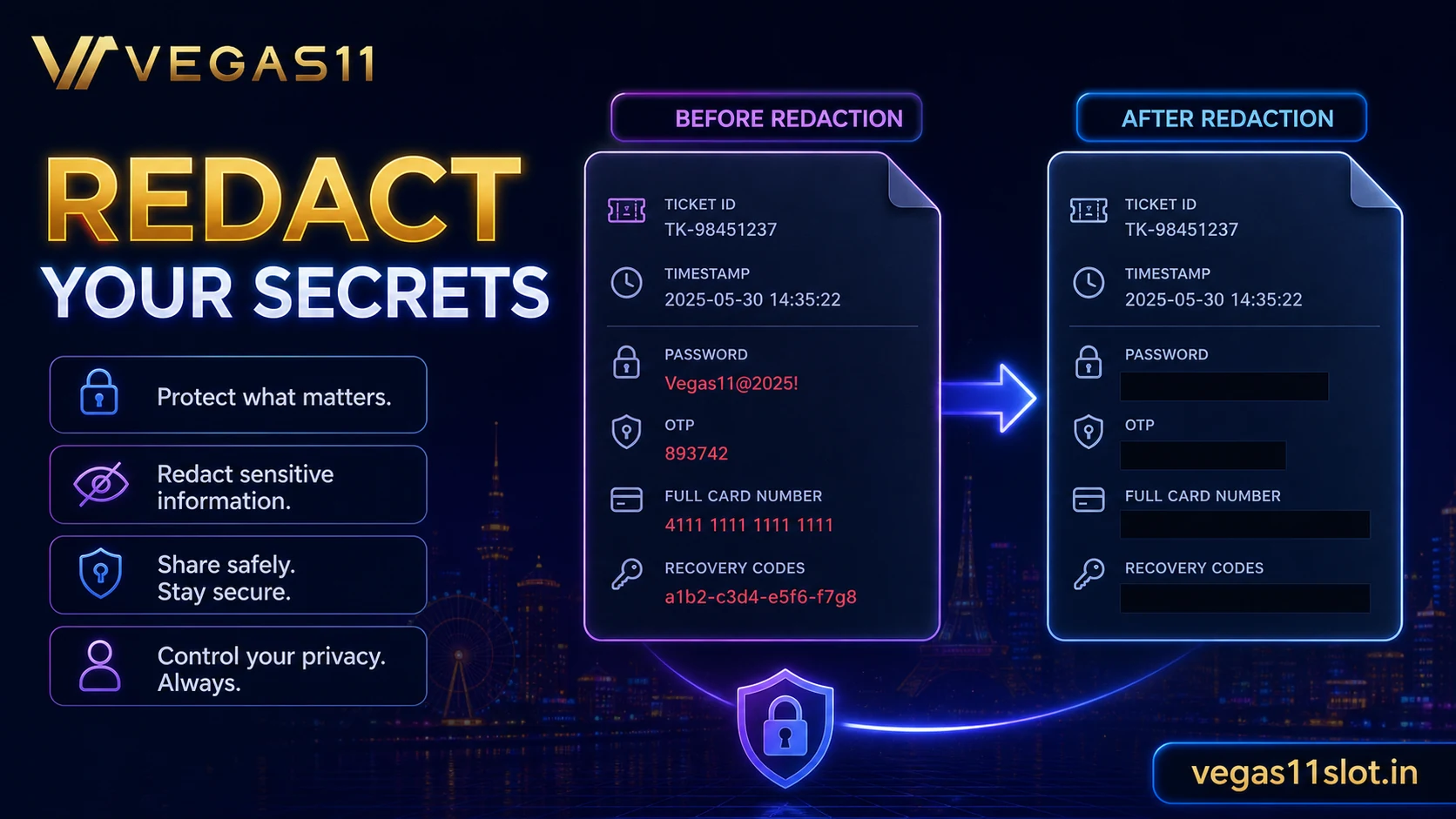
Redact passwords, OTPs, full payment numbers, recovery phrases, government ID numbers that are not specifically required, and unrelated account balances. Support may need identity documents through a secure upload channel, but an ordinary chat window or email reply should not be treated as that channel without verification.
- Keep the original screenshot.
- Show date, status and identifier.
- Redact secrets and unrelated data.
- Verify the secure document-upload route.
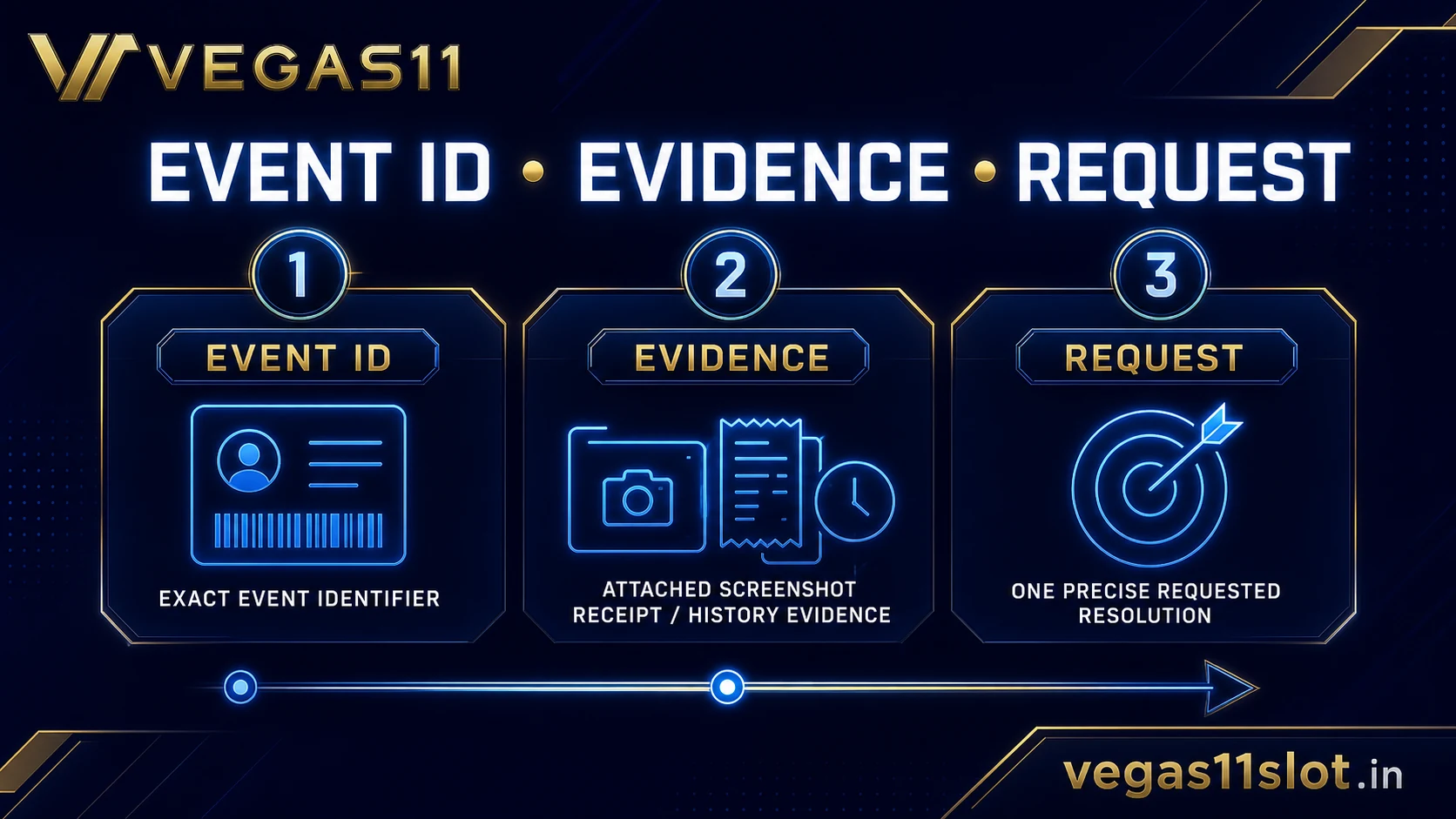
Use a one-page ticket structure
Open with the account identifier allowed by the support system, not the password. Add a five-line timeline, list the evidence files and state the requested outcome. Examples include correcting a status, explaining a settlement, confirming documents received or providing the formal complaint reference.
Keep one issue per ticket when possible. Mixing a login problem, bonus question and withdrawal delay makes ownership unclear. If two events are connected, explain the link and still identify the primary issue. Save the full transcript and ticket number after the conversation ends.
- Subject: one clear issue.
- Timeline: oldest to newest.
- Evidence: named files and IDs.
- Request: one specific next action.
- Contact preference and safe time window.
| Stage | Action | Record |
|---|---|---|
| Routine support | Open one specific ticket | Ticket number and transcript |
| Specialist review | Wait for stated window | Owner and next review time |
| Formal complaint | Use published procedure | Submission and final response |
| External route | Verify jurisdiction and coverage | Licence and case reference |
Follow up without fragmenting the record
If support gives a review time, note the date and wait until that window ends unless account security is at risk. Reply within the same ticket so the evidence stays together. Opening several chats can create conflicting answers and make it harder to show what was promised.
At follow-up, summarise the unresolved point and quote only the relevant reference number or short prior statement. Ask whether the case has moved to a specialist team and request the next review time. Do not send more documents unless the operator explains why they are needed and provides an approved channel.
- Use the same ticket number.
- Reference the promised review time.
- Ask for current owner and next step.
- Avoid duplicate chats and repeated uploads.
Move to a formal complaint when routine support stalls
A formal complaint is different from another support chat. Use the operator’s published complaint procedure, include the evidence chain and state what resolution was requested. The regulator or dispute service that may apply depends on the operator’s licence and the reader’s jurisdiction.
Do not claim that a particular external body can resolve the case without confirming coverage. Some regulators record concerns but do not decide individual transactions. The operator’s terms should identify the applicable route. Save submission confirmation and any final response.
- Locate the operator complaint procedure.
- Check licence and jurisdiction.
- Submit the evidence chain once.
- Save acknowledgement and final response.
Security issues need a faster route
If the problem involves an unknown login, changed contact details, an unauthorised transaction or lost device, stop normal play and use the official account-security contact immediately. Change the password through the verified site or app, review active sessions and secure the email account connected to the profile.
Do not follow links from an unsolicited message claiming to be support. Navigate from the known website or app. If payment details may be compromised, contact the payment provider through its official channel. These steps reduce exposure while the casino investigation continues.
- Use the verified support entry point.
- Secure account email and password.
- Review sessions and transactions.
- Contact the payment provider when appropriate.
Reader scenario: withdrawal remains pending
A withdrawal shows pending after the operator’s stated review window. The player has a request ID, timestamp, amount and a message confirming documents were received. That is enough to open a focused follow-up.
The ticket should ask for the current stage, any missing requirement and the next review time. It should not include the account password or resend identity files through ordinary chat. If routine support stalls, move to the published complaint process with the same evidence chain.
Support ticket checklist
- I wrote one factual timeline with the correct time zone.
- I included the relevant round or transaction ID.
- I redacted passwords, OTPs and unrelated personal data.
- I stated one requested outcome and saved the ticket number.
FAQ
What should I include in the first message?
State the issue, timestamp, identifier, expected result, observed result and requested next action.
Should I send my ID in live chat?
Only through a verified secure channel when the operator explains the requirement. Do not send unnecessary documents in ordinary chat.
When should I make a formal complaint?
Use the operator’s published procedure when routine support has not resolved the issue within its stated process or a final response is needed.
Source and Update Note
This article was checked on July 14, 2026 for the search intent “casino support complaint records screenshots transaction ID”. It uses the sources below as general evidence. Game rules, promotion terms, app settings, account tools and support procedures can change by operator, version and jurisdiction. Verify the current page or help screen before making a money, privacy or account decision.
- UK Gambling Commission complaints guidance — Official complaint-routing reference reviewed July 14, 2026.
- UK Gambling Commission common enquiries — Shows that operator support is often the first route for transaction or game issues.
Related Reading
- Casino Withdrawal Delays: Common Causes and What to Check
- Casino Deposit Method Checklist: Safety, Timing and Records
- Casino Login Security Checklist: Passwords, OTP and Devices
- Mobile Casino Privacy and Security: Practical Checks for Players
Check Vegas11 Details
Review the official sign-in page and current terms, and keep every session within your personal budget and time limits.